Managing a healthcare practice today requires speed, accuracy, and patient-focused workflows. As digital health records become the norm, many providers are switching to OpenEMR to manage clinical, administrative, and compliance needs more efficiently.
OpenEMR is a powerful open-source electronic health record (EHR) and practice management system. It is widely used across the globe and is ONC-certified and HIPAA-compliant when configured correctly. Because of its flexibility, OpenEMR works well for solo providers, specialty clinics, and multi-location healthcare organizations.
In this guide, you will learn what OpenEMR is, why it matters in 2025, its key features, and how to set it up successfully for your healthcare practice.
What is OpenEMR?
OpenEMR is a single, ONC-certified, open-source electronic health records and medical practice management system. It combines patient records, appointment scheduling, billing, reporting, and clinical documentation into one unified platform.
Unlike many proprietary systems, OpenEMR can be installed on-premise or deployed in the cloud. As a result, healthcare practices can scale resources based on their needs and budget. Moreover, its open-source nature allows full customization without expensive licensing fees.
Because OpenEMR is developed by a global community, it continues to evolve with regular updates, security enhancements, and compliance improvements.
Related: https://qiaben.com/open-emr/

Why OpenEMR Matters in 2025
Over the past 15 years, OpenEMR has been downloaded more than 50,000 times. Today, it remains one of the most widely adopted open-source EHR systems worldwide.
Most importantly, OpenEMR offers flexibility that many commercial EMRs lack. It supports interoperability, customization, and specialty workflows at a significantly lower cost. Therefore, both small practices and large healthcare groups benefit from its affordability and scalability.
In 2025, OpenEMR continues to stand out because it blends modern technology with compliance readiness. As a result, providers gain reliable tools without sacrificing control over their data.
Related:https://qiaben.com/open-emr
OpenEMR’s Most Important Features (2025 Edition)
1. Patient Scheduling System
OpenEMR includes a fully integrated scheduling module. It supports daily, weekly, provider-based, and facility-based calendar views. In addition, drag-and-drop scheduling makes appointment management simple.
To reduce no-shows, OpenEMR offers automated SMS and email reminders. Furthermore, the 2025 version includes AI-driven slot suggestions and self-service appointment booking through web and mobile portals.
See Also: OpenEMR Core Features
2. Electronic Medical Records (EMR)
Clinical documentation in OpenEMR is streamlined using SOAP notes, templates, and timelines. Providers can view allergies, medications, vitals, and immunizations in one place.
In 2025, OpenEMR introduced voice-to-text charting and remote patient monitoring (RPM) support. As a result, providers spend less time on documentation and more time with patients.
3. Clinical Decision Support (CDS)
OpenEMR enhances care quality through real-time alerts for medications, lab results, and drug interactions. These tools support safer and more informed clinical decisions.
Additionally, the 2025 update includes AI-assisted alerts and diagnostic recommendations. Consequently, providers can deliver more consistent, evidence-based care.
4. e-Prescribing & Medication Management
With OpenEMR, providers can prescribe medications securely and track refill histories in real time. The system integrates with Surescripts to meet regulatory standards.
Moreover, specialty-specific medication routing is now supported, making OpenEMR suitable for complex care environments.
5. Billing & Revenue Cycle Management (RCM)
OpenEMR includes a comprehensive billing module that supports CMS-1500 and UB-04 forms. It also automates ICD-10, CPT, and HCPCS coding.
In 2025, predictive denial management and value-based billing features were added. As a result, practices can improve reimbursements while reducing claim rejections.
6. Patient Portal
The OpenEMR patient portal improves engagement and reduces administrative workload. Patients can securely message providers, request appointments, and access medical records.
New 2025 features include an AI-powered chatbot for triage and a personal health journal. Therefore, patients stay more involved in their care journey.
7. Reporting and Analytics
OpenEMR supports MU, MIPS, and MACRA reporting with visual dashboards and customizable KPIs. Providers can monitor both clinical and operational performance.
Furthermore, data can now be exported to tools like Tableau and Power BI. Drag-and-drop dashboard builders allow faster insights and better decision-making.

Interoperability and Integration
OpenEMR supports HL7 and FHIR standards for secure data exchange. It integrates easily with labs, imaging centers, immunization registries, and telehealth platforms.
Additionally, SMART-on-FHIR apps and RESTful APIs enable seamless third-party integrations. This makes OpenEMR a future-ready healthcare platform.
Compliance and Certifications
OpenEMR is ONC-certified and supports HIPAA compliance when configured properly. Security features include role-based access, encryption, and audit logs.
As regulations evolve, OpenEMR continues to adapt. Therefore, practices remain compliant without switching systems.
Specialty Use Cases
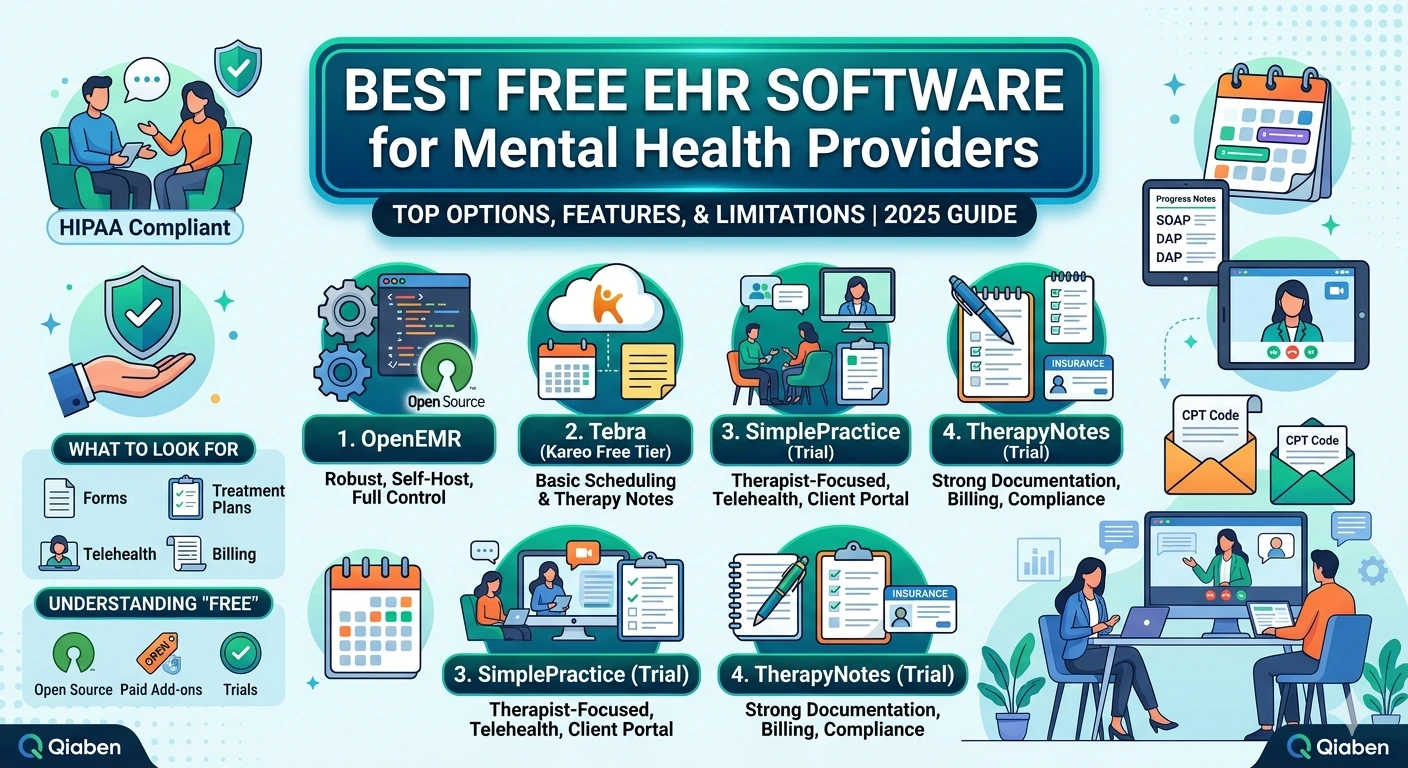
OpenEMR supports multiple specialties, including dental, mental health, pediatrics, and telehealth.
Dental clinics benefit from integrated dental charting and CDT billing
Mental health providers use DSM-5 assessments and secure notes
Pediatric practices track growth charts and immunizations
Multi-location clinics manage cross-site scheduling and access
OpenEMR vs Other EMRs (2025 Comparison)
| Feature | OpenEMR | Epic | Practice Fusion |
|---|---|---|---|
| Cost | Free | $$ | $ |
| Customization | Full | Limited | Limited |
| API Access | Open | Closed | Partial |
| Interoperability | High | Moderate | Low |
| Specialty Templates | Yes | Yes | Few |
| Community Support | Strong | Moderate | Low |
| Hosting Flexibility | Self/Cloud | Cloud only | Cloud only |
| International Use | Yes | Limited | No |
Pros & Cons of OpenEMR
✅ Pros
- Free, open-source with no licensing costs
- Complete control over data and privacy
- Easy integration with outside systems
- Modular for use across multiple specialties
- Global community support and vendor ecosystem
- Highly customizable interface and workflows
- Both cloud and on-premise deployment supported
- Advanced billing and reporting capabilities, including MIPS/MACRA compliance
- Normal updates and ongoing development by the open-source community
- Multilingual support and global compliance readiness (HIPAA, GDPR, etc.)
❌ Cons
- Technical proficiency needed for setup and maintenance
- Can have third-party support needed for advanced functionality
- Staff learning curve for first-time EMR users assistant
- Limited contemporary UI/UX versus commercial EMRs without customization
- Its initial setup can take a long time for advanced practices
- Manual updates and patches are needed to maintain it unless maintained by a vendor
- Variable documentation quality for high-end integrations
How to Set Up OpenEMR for Your Practice
Setting up OpenEMR involves several steps to ensure smooth implementation:
Step 1: Choose Hosting Option
Decide whether to host OpenEMR on your own servers (on-premises) or opt for a cloud-hosted version. Cloud hosting often reduces IT maintenance costs.
Step 2: Install OpenEMR
Download OpenEMR from the official website. Installation requires basic knowledge of PHP, MySQL, and Apache. Many third-party vendors also provide pre-configured hosting.
Step 3: Configure for Your Practice
Customize the system to fit your workflow. This includes setting up:
User roles and permissions
Specialty-specific templates
Billing codes (ICD-10, CPT)
Patient intake forms
Step 4: Data Migration
If switching from another EHR, migrate patient records and billing data carefully. Many vendors offer migration services to ensure accuracy.
Step 5: Train Staff
Provide training to staff on scheduling, billing, and patient management functions. Proper training ensures smooth adoption and reduces errors.
Step 6: Ensure Compliance
Configure security protocols for HIPAA compliance. Enable encryption, role-based access, and audit logs.
About Qiaben’s OpenEMR Services
Qiaben specializes in OpenEMR implementation and customization for healthcare practices. Services include installation, data migration, specialty modules, API integrations, staff training, and 24/7 support.
Qiaben ensures your OpenEMR system is secure, scalable, and future-ready.
Related:

Conclusion
OpenEMR remains one of the leading open-source EMR systems in CQS 2025; major features include interface enhancements, smart billing, report-aided decision support, CQM, and other specialty registry integrations.
This powerful solution was developed to provide the benefits of commercially available systems to medical practices — for free.
As a result, it stands out as a best-of-breed option for clinics seeking flexibility, affordability, and control.
FAQs
Q: Is OpenEMR secure?
For sure — it has access controls, encryption of data, audit logs and is HIPAA compliant.
Q: Does OpenEMR have an integrated telemedicine feature?
It does. It is compatible with Zoom, Jitsi and other video calling apps.
Q: Is OpenEMR really free?
Yes the software is free but hosting, training, and support can be variable costs.
Q: Can I use OpenEMR on my smartphone and other mobile devices?
Definitely. The 2025 version is responsive and PWA (Progressive Web App) ready.
Q: Would you recommend for multiple location practices?
It is. OpenEMR facilitates multi-facility workflows as well as role-based access among clinics or facilities.