If you manage a dental practice or run the billing team, this is for you. It’s a practical playbook written in plain language that shows how modern tools stop routine claim denials before they happen, speed up payments, and free your team from endless rework. Download the denial prevention checklist at the end to run a pilot in one provider’s schedule this week.
The real problem, simply put
Most denials come from the same handful of problems:
- wrong or missing patient/payer data,
- coding or documentation gaps, and
- timing problems (no prior auth, wrong service date, etc.).
Fixing the repeatable, human-errors-first problems gets you the biggest, fastest wins.
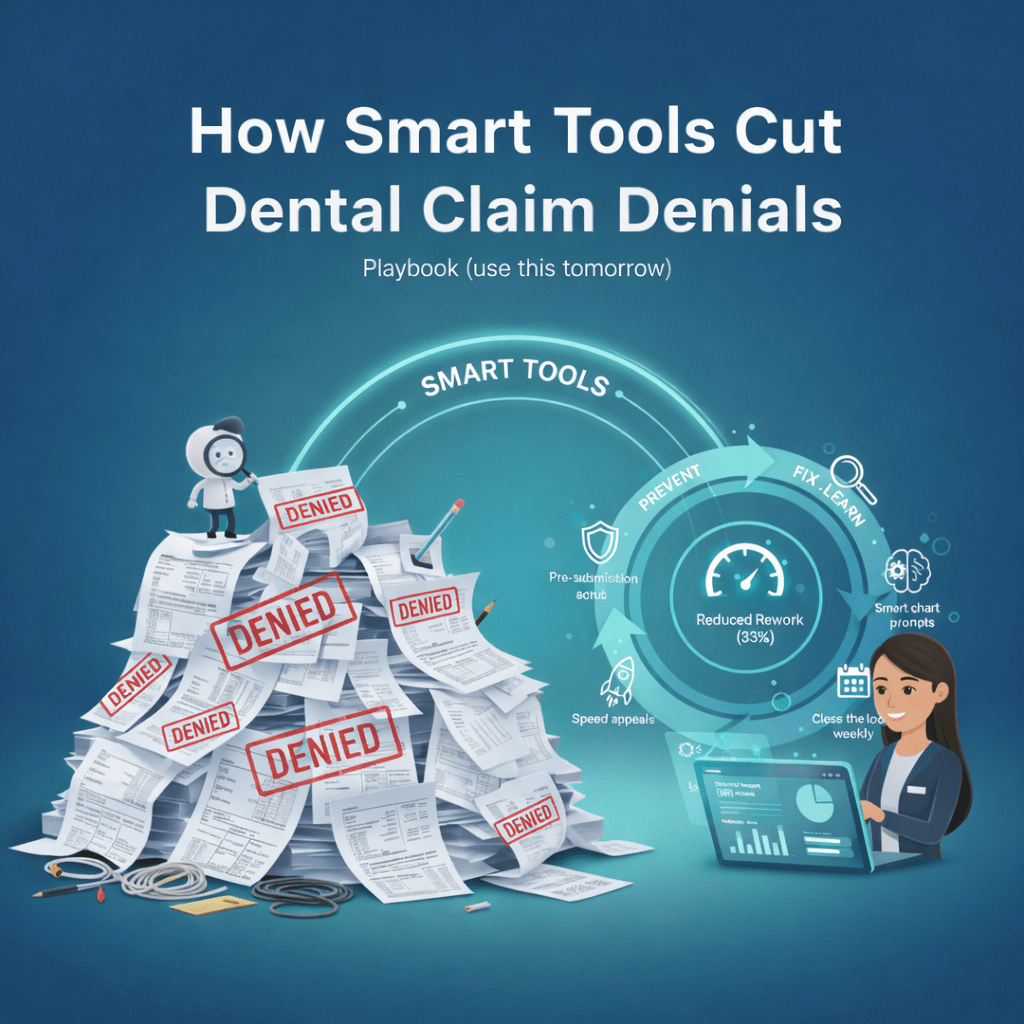
The simple loop: prevent → predict → fix → learn
That’s the whole idea. Catch problems before you submit claims, identify the ones likely to fail, fix them fast, and feed the results back so the system and your team stops repeating the same mistakes.
Playbook
1) Pre-submission scrub stop denials at the door
Run a short checklist automatically before claims leave the office:
- match patient demographics to the payer file,
- confirm eligibility for the service date,
- verify code and modifier combinations,
- attach required documents.
Why it matters: a big share of rejections are simple mismatches. Fix them first.
Pro tip: show a one-line reason (“missing member ID”, “requires modifier”), so front-desk staff can fix quickly.
2) Automate eligibility and prior auth triggers
Have the system run eligibility checks at scheduling and flag visits that need prior approval. When a prior auth is needed, the workflow should:
- alert the scheduler and clinician,
- create the pre-auth packet or structured form,
- add a follow-up reminder if no response arrives.
Result: fewer surprise denials and fewer last-minute cancellations.
3) Nudge clinicians with smart chart prompts
Add quick prompts in the chart that require the facts billers need tooth number, surfaces, clinical notes for medical necessity, related comorbidities. Those small prompts lead to cleaner notes and fewer coding disputes.
4) Score and triage claims by risk
Not every claim needs the same attention. Give each claim a simple risk score based on payer, past history, code complexity and age. High-risk claims go to an experienced biller; low-risk claims go straight out.
This focuses your team on the claims that move the needle.
5) Speed handling of denials and appeals
When a denial comes back:
- auto-classify it (eligibility, coding, duplicate, timely filing),
- launch a templated appeal or correction that pulls in the relevant chart notes, and
- prioritize appeals by expected recovery and age.
That consistency improves win rates and cuts the time claims sit in appeals.
6) Close the loop weekly
Record denial reasons and resolutions. Weekly, update:
- front-desk scripts,
- chart templates, and
- pre-submission rules.
These small changes stop the same denials from repeating.
Short real-world result
One three-chair clinic started with pre-submission scrubs and better prior-auth checks. In three months the team cut time spent on rework by about a third and reclaimed hours for patient outreach and collections follow-up.
Vendor checklist you can paste into an RFP
- Does the tool check eligibility and payer rules before submission?
- Can it flag and create prior-auth requests automatically?
- Do appeals templates pull clinical notes automatically?
- Can it score claims and route them by priority?
- Is there a denial analytics dashboard with weekly reports?
If a vendor can’t show a restore demo or denial reporting, keep looking.
Common Question asked by future dentist :
Q: How can technology help manage claim denials?
A: By catching common errors before submission, flagging risky claims for human review, and automating fast, templated appeals. That reduces rejections and speeds payment.
Q: What are the four steps to manage denied claims?
A: 1) Triage and classify the denial, 2) Prioritize by age and expected recovery, 3) Apply a templated appeal or correction, 4) Track results and update processes so it doesn’t happen again.
Q: How can automation create more prior auth work?
A: Automation can surface coverage rules that were previously missed. That means more prior auth requests may be triggered, but when those requests include complete clinical context, denials fall. Add a human check for complex or high value cases.
Q: How does automation reduce processing time?
A: It cuts manual entry, runs instant eligibility checks, attaches needed documents automatically, and routes claims to the right person so the gap between service and payment shrinks.